
Hours on paper
Timesheets filled in at the weekend, from memory. Corrected at month-end, argued over at payroll.
Log in to Oraria
Are you a technician?
Scan it with your phone
app.oraria.ch
For companies with field technicians
The team logs its hours and has the report signed on the phone. In the office the same hours become the weekly plan, the invoice and the payslip, without retyping them.

 Scan with your iPhone to download the app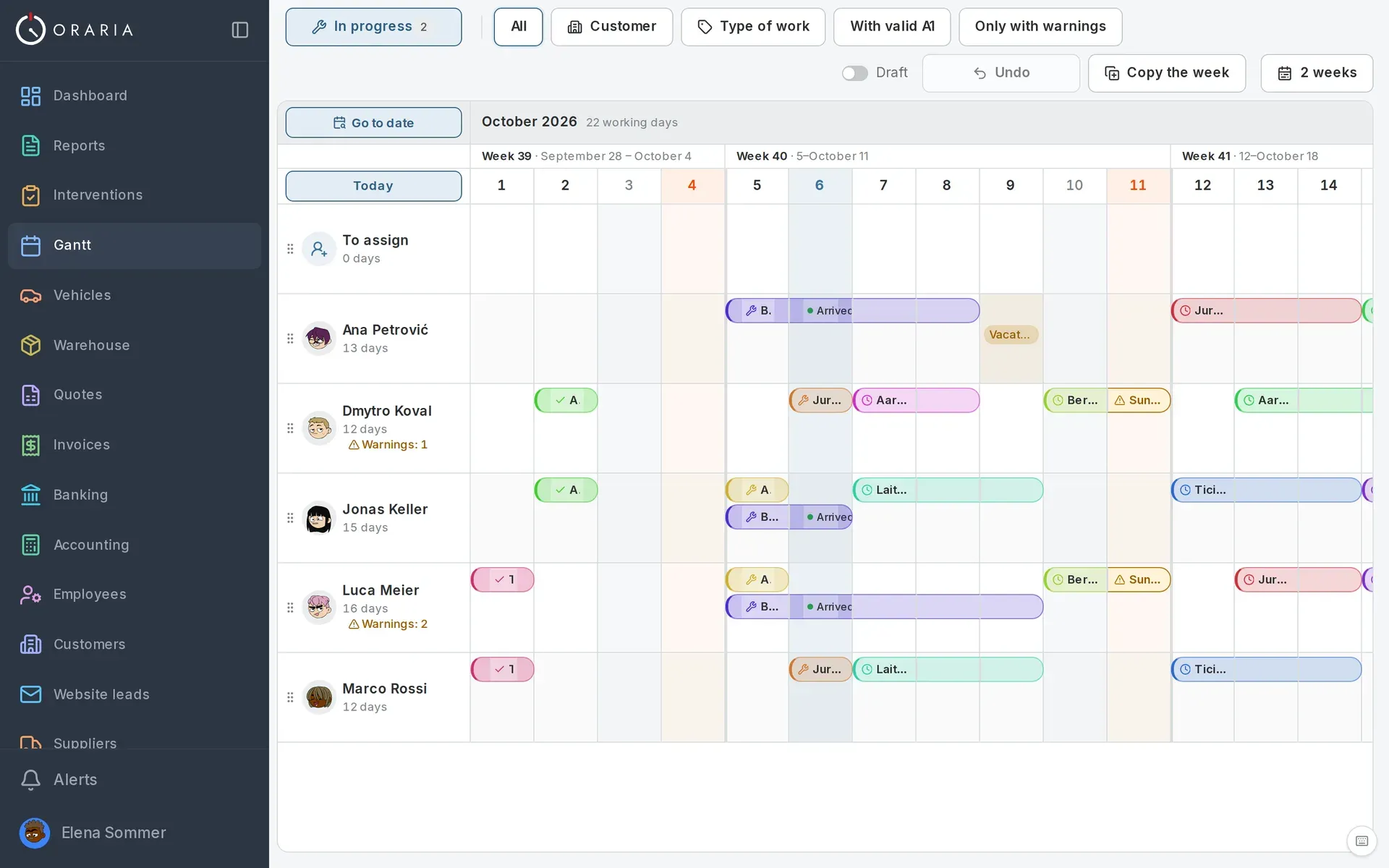
Timesheets filled in at the weekend, from memory. Corrected at month-end, argued over at payroll.
The job is done, but the report is missing. And without the report, the invoice waits.
“Where are you? How long did it take? Who was with you?” — every day, on every site.
Faded receipts that reach accounting months later. Or never.
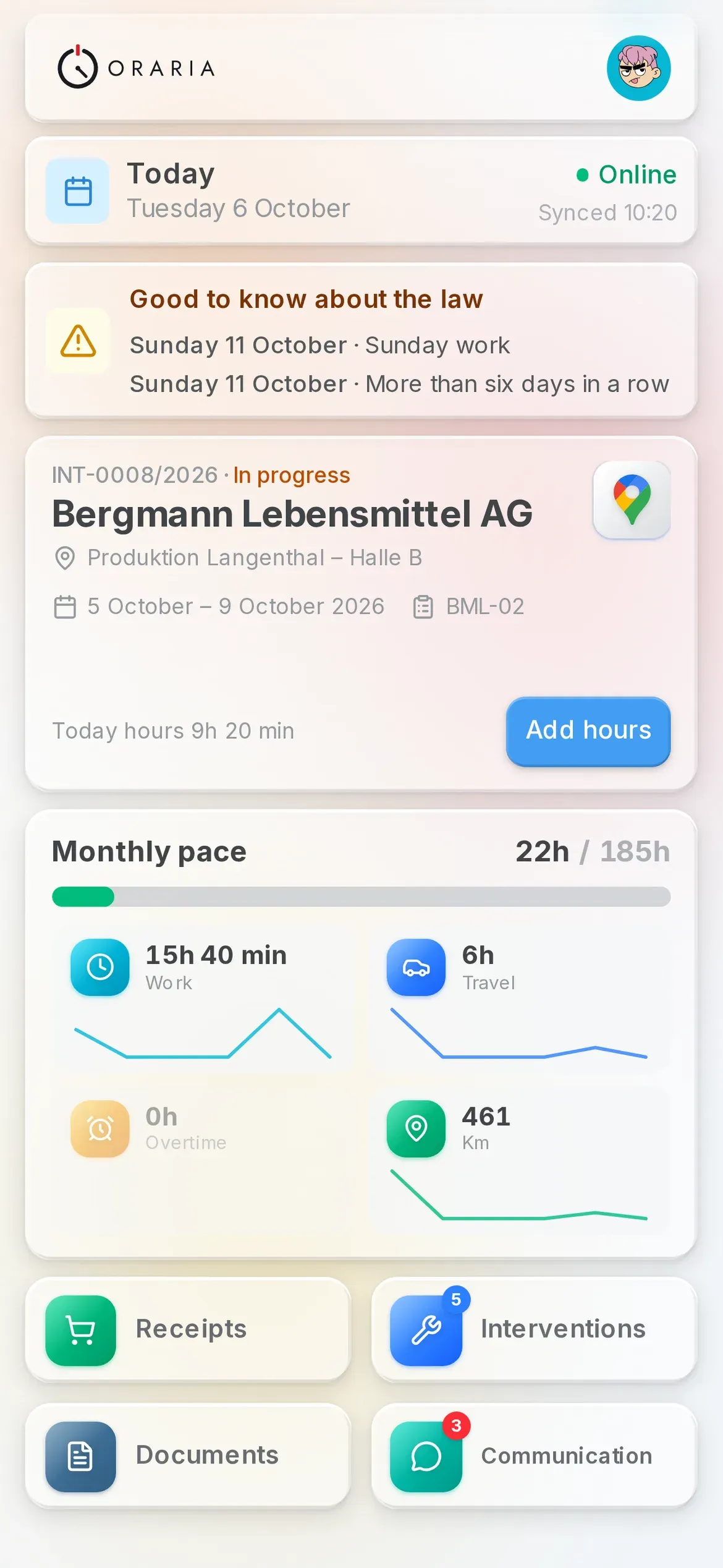
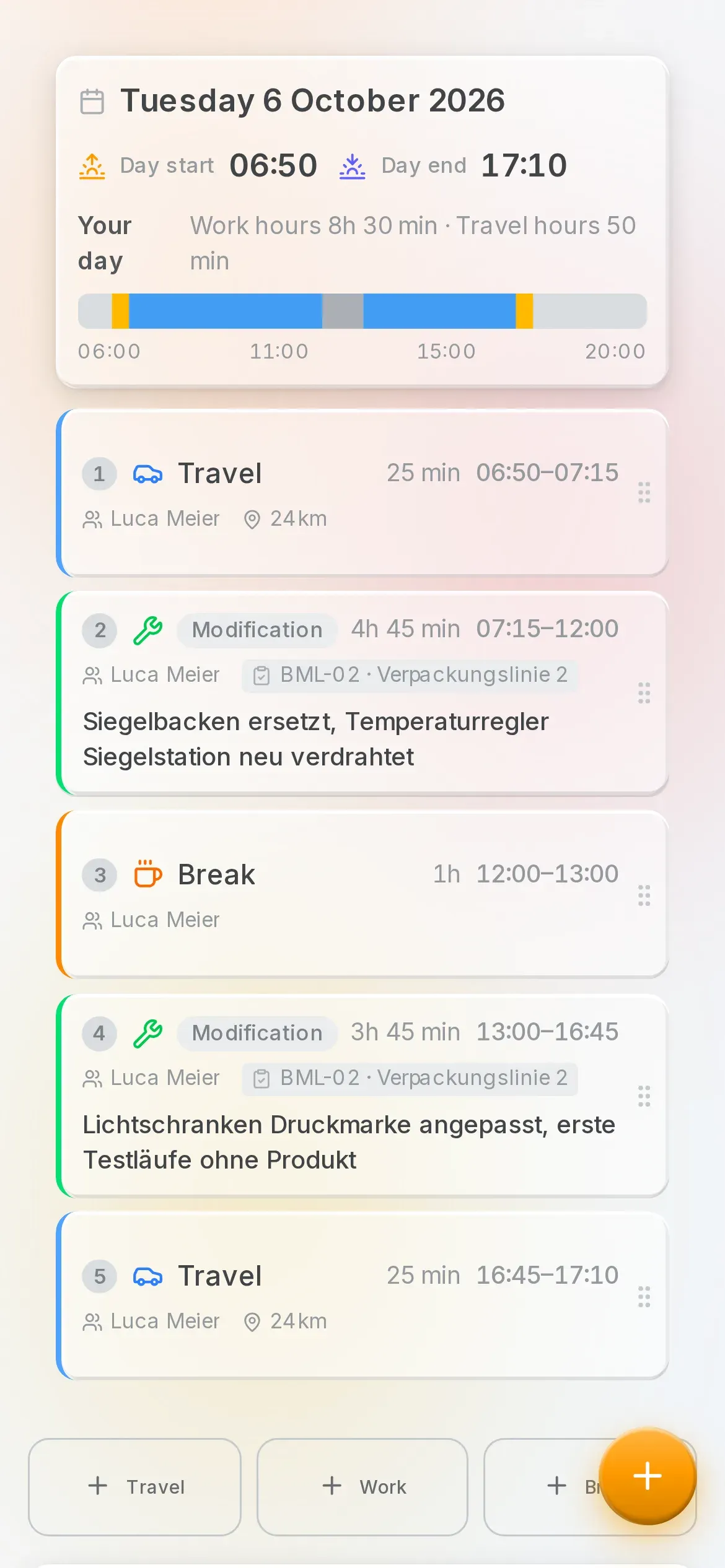
Travel, work and breaks with the real times, entered by hand or clocked on the job. Night hours, public holidays and meals are calculated automatically.
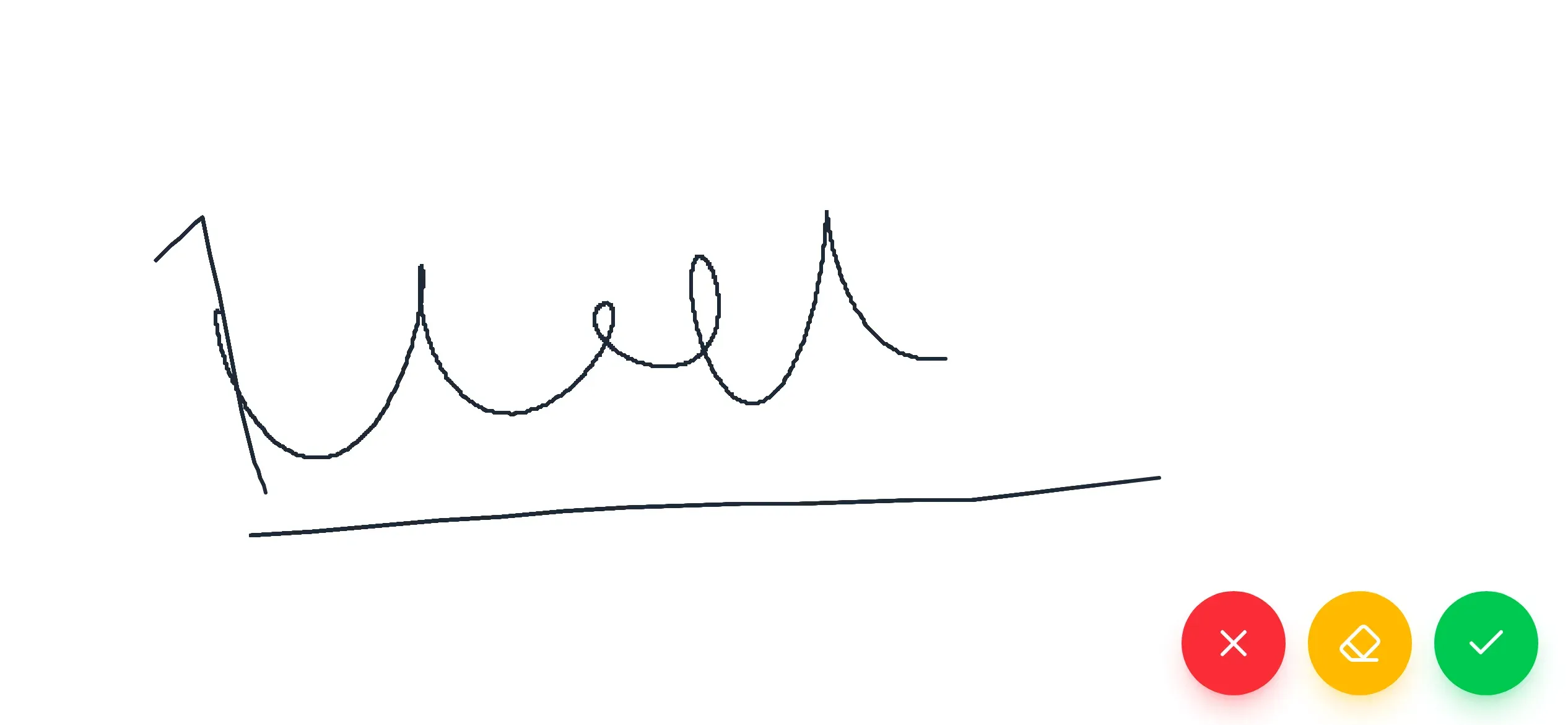
The client signs on the phone screen, next to the technician's signature. No paper, and no waiting for month-end.
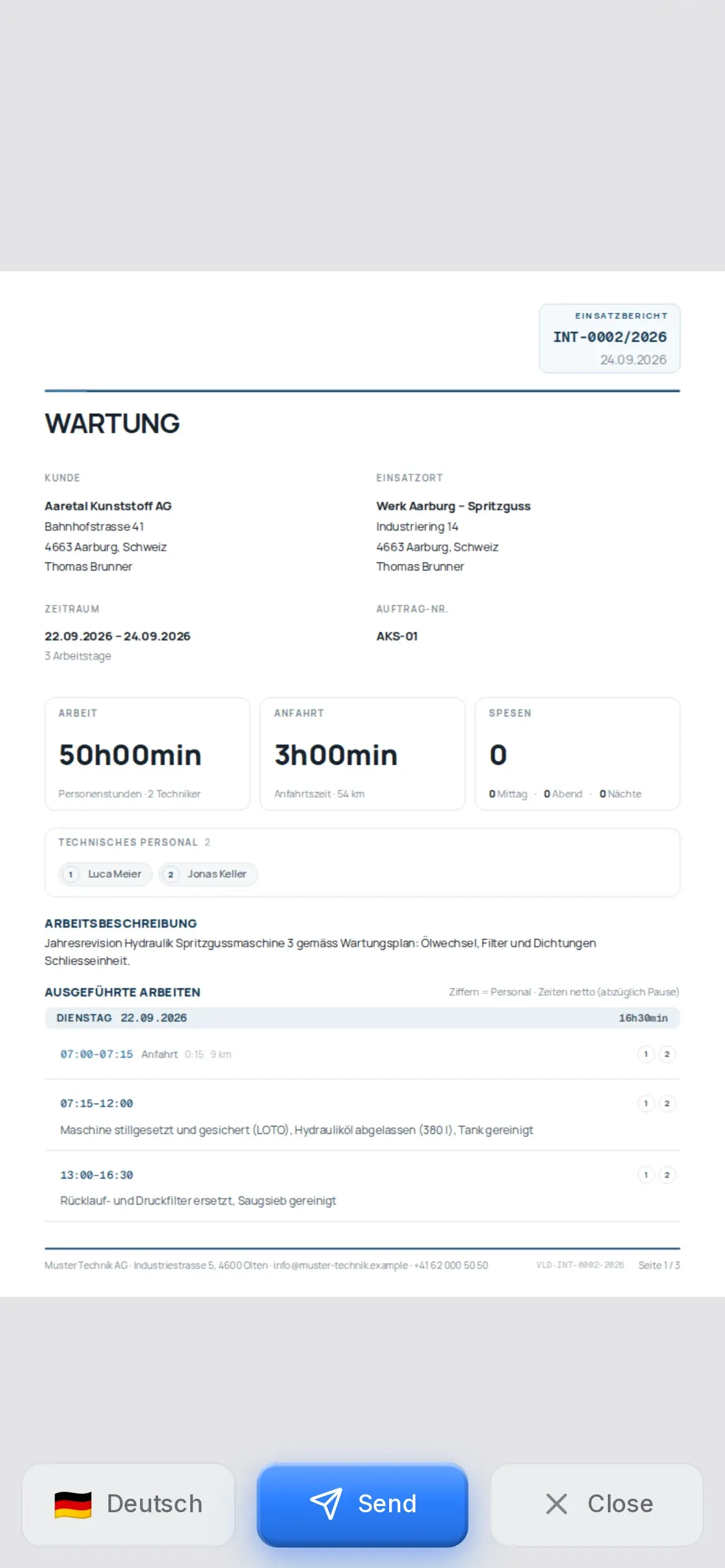
Hours, work, materials and signatures in a report that builds itself. It goes to the client in their language.
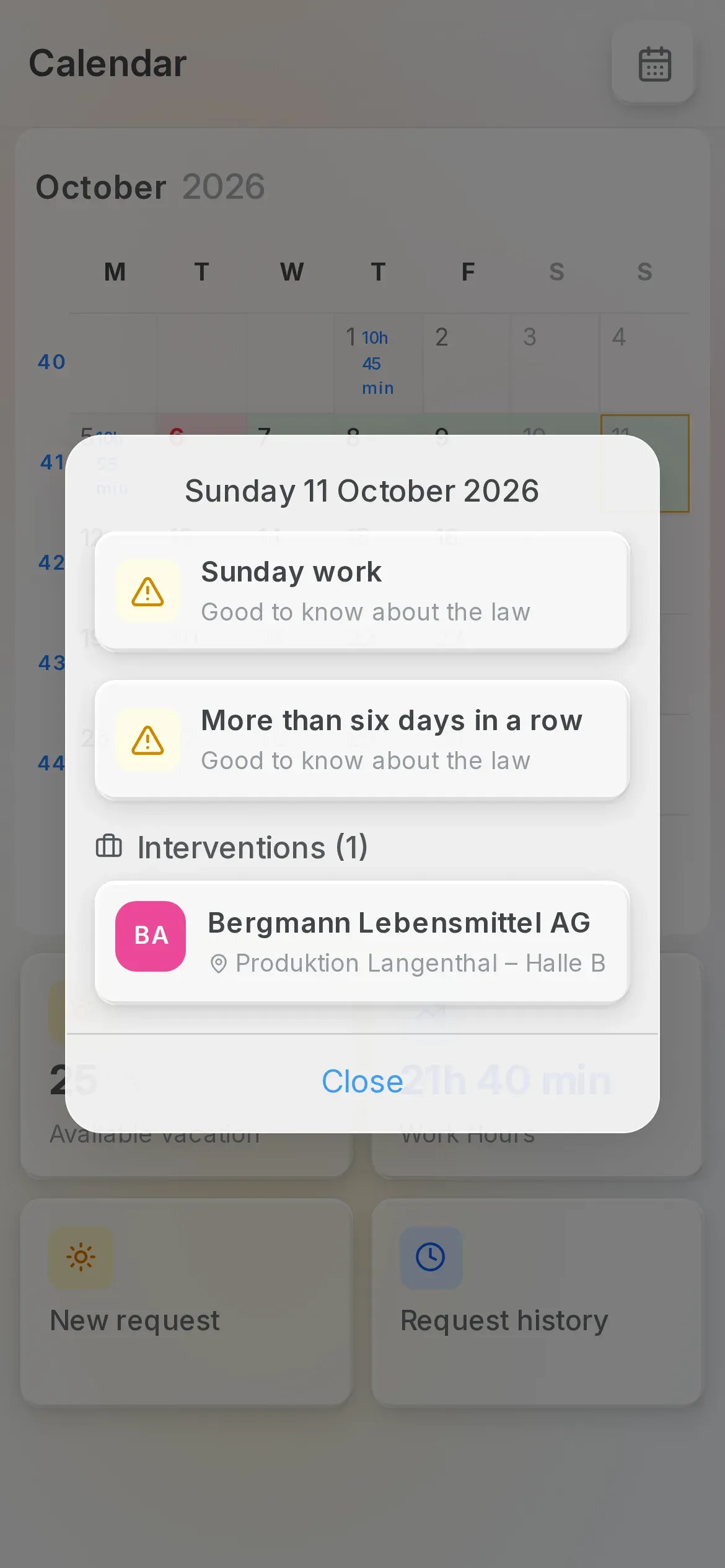
Rest period too short, more than six days in a row, work on a Sunday or a public holiday: the technician sees their warnings for the next seven days. If a statutory break is missing, they answer for it themselves in the app.
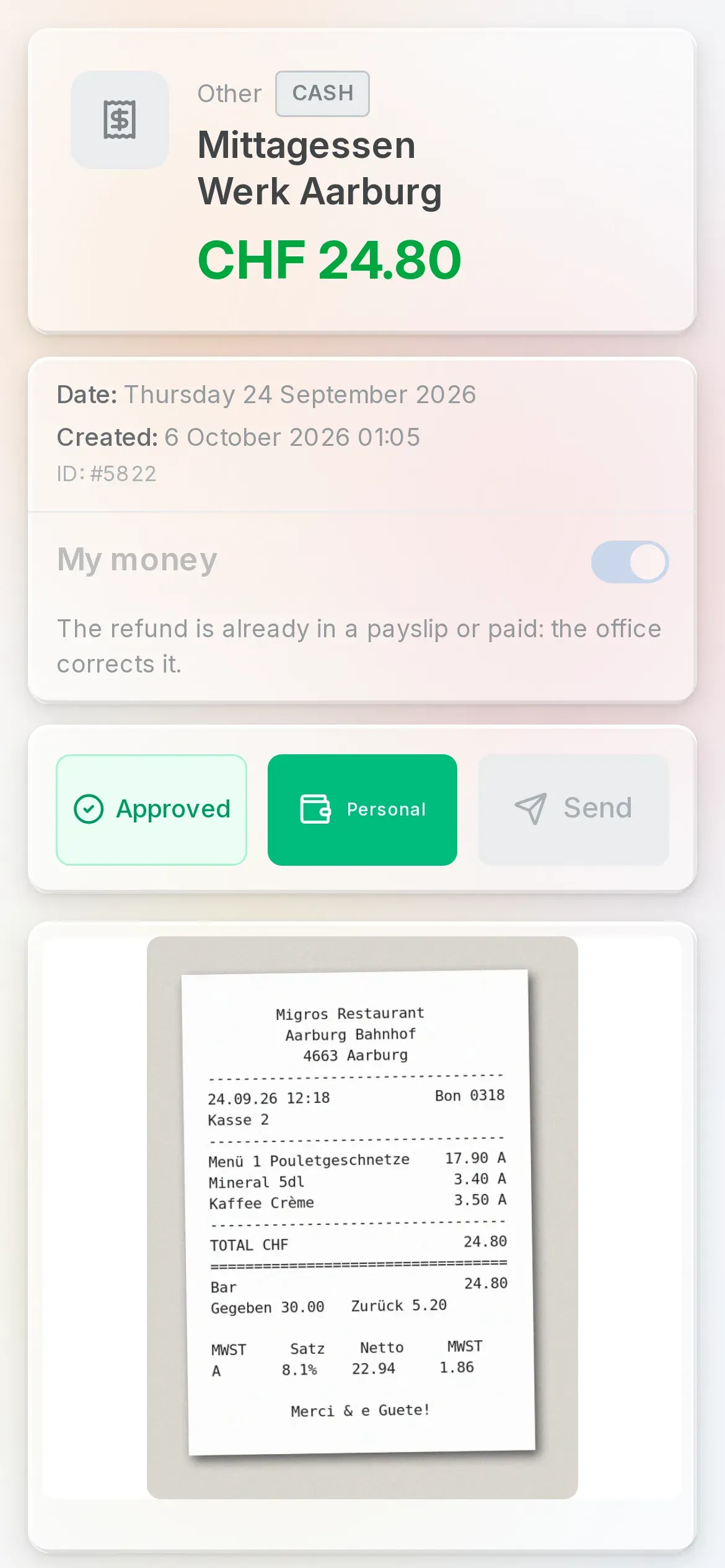
The receipt is snapped on the go and the scanner straightens it. The technician says who paid: with the company card, or out of their own pocket, and then the refund comes with their pay.
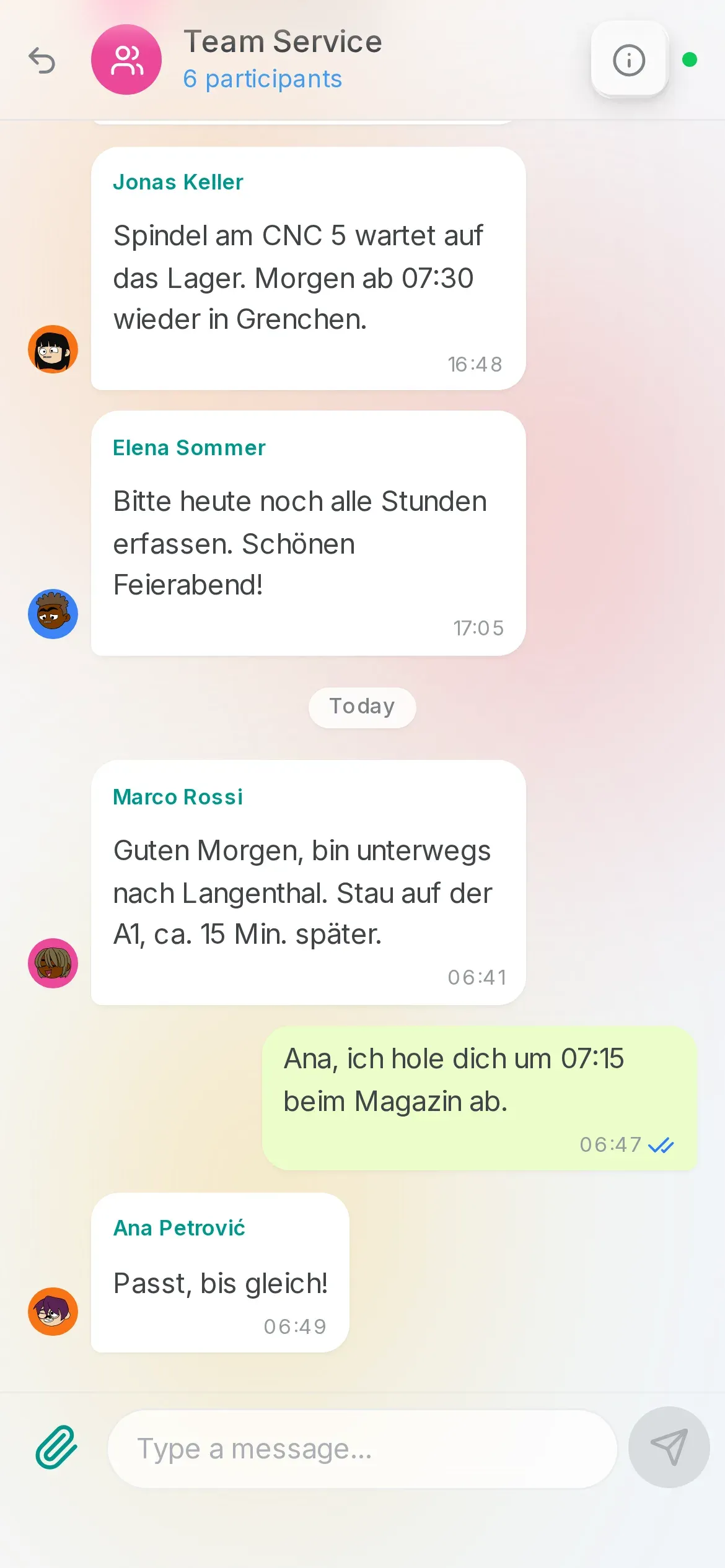
The team chat and the client chat, WhatsApp included. Call a colleague by voice or video, and during a video call the office can take a photo with the technician's phone, turn on its torch and zoom in.
On site, the signal comes and goes. Oraria keeps working and syncs when the network is back.
Plus payslips and documents on the phone, the employment contract to sign in the app, material requests and the attendance log.
Your company panel opens on the computer, at yourname.oraria.ch. What the team records on the phone is already there.
As you move a job, every row shows whether the person is free, resting or on holiday. The plan is prepared as a draft and published when it's ready: the team finds it in the app.
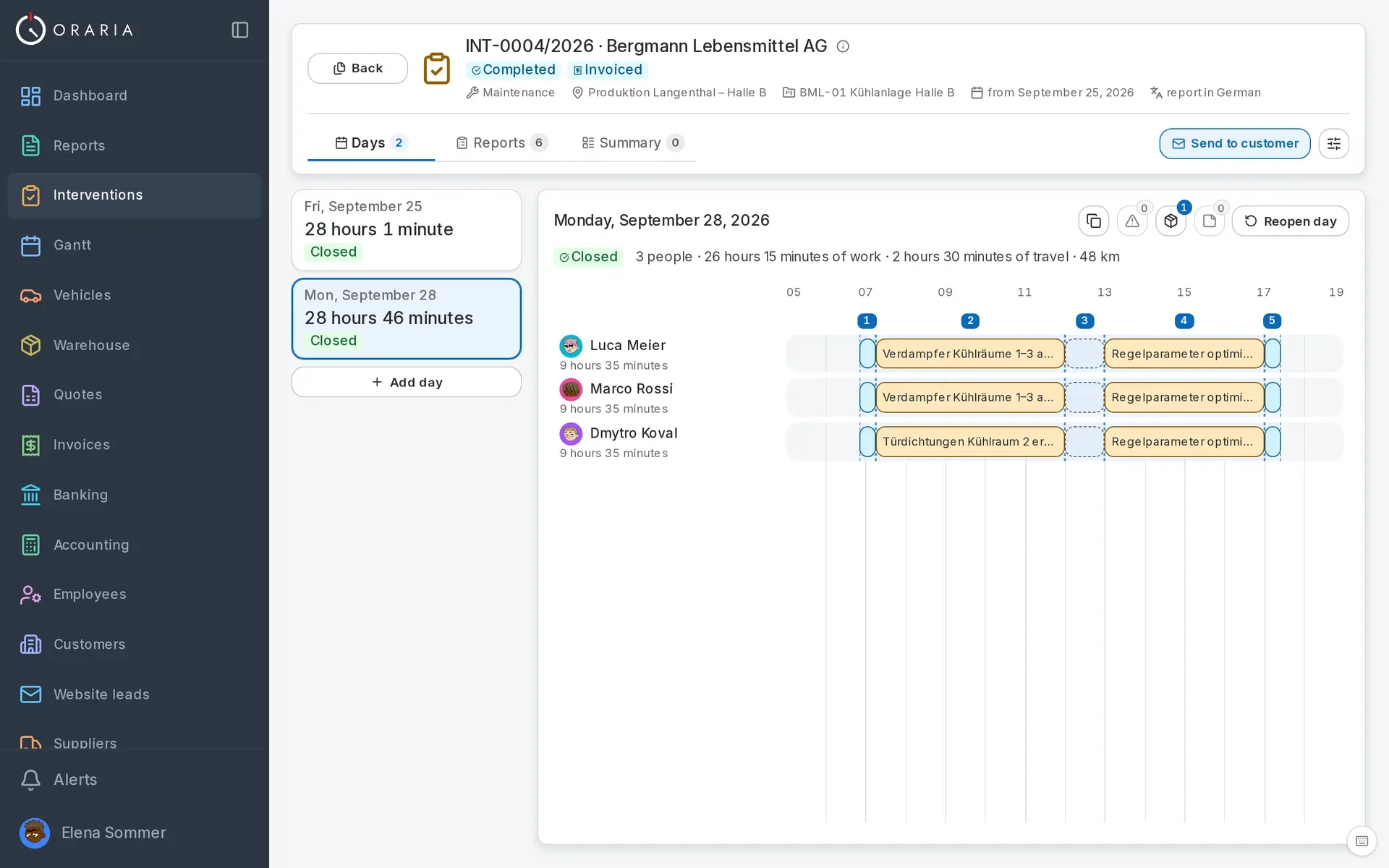
Every work day in lanes, person by person: work, travel, statutory breaks, meals. Night and holiday hours already at their own rate.
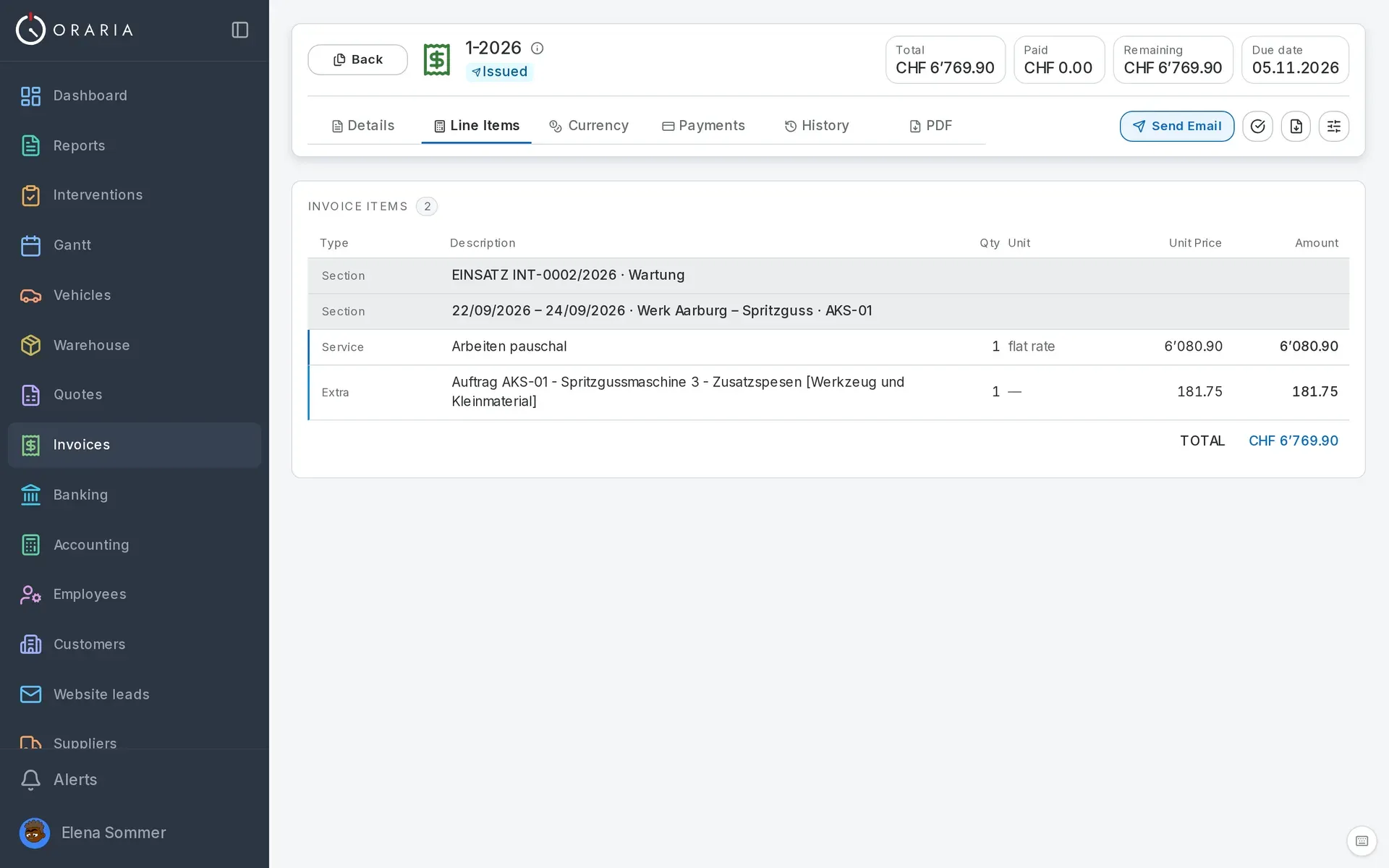
One line per job, at a flat rate, with the site reference. VAT per line, discount, the client's currency. Whoever invoices checks and sends.
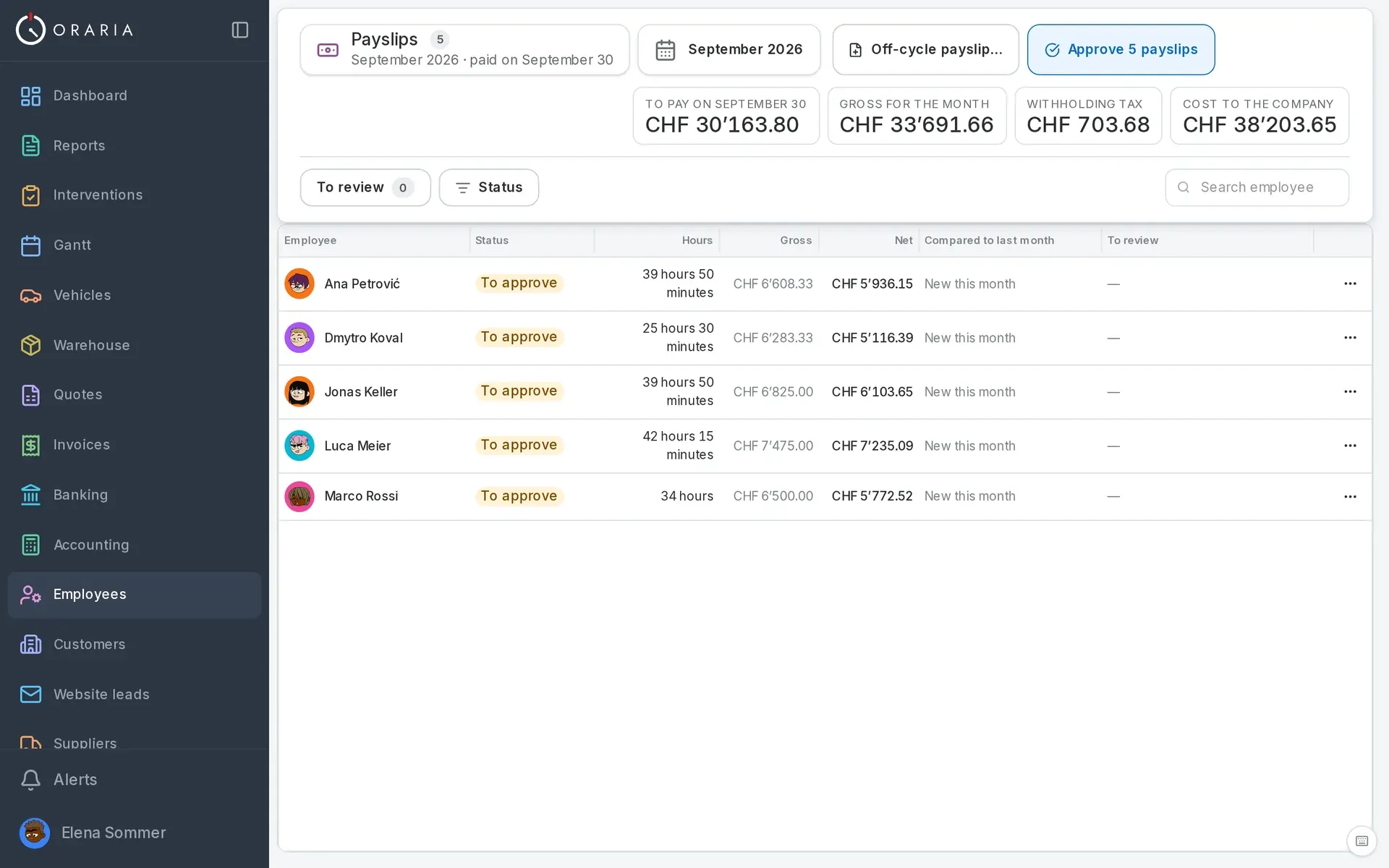
Contracts under the Labour Act: overtime, nights, Sundays, holidays, absences, social insurance (AHV, BVG, UVG). Expenses paid upfront come back with the salary, and the accountant has their own access.
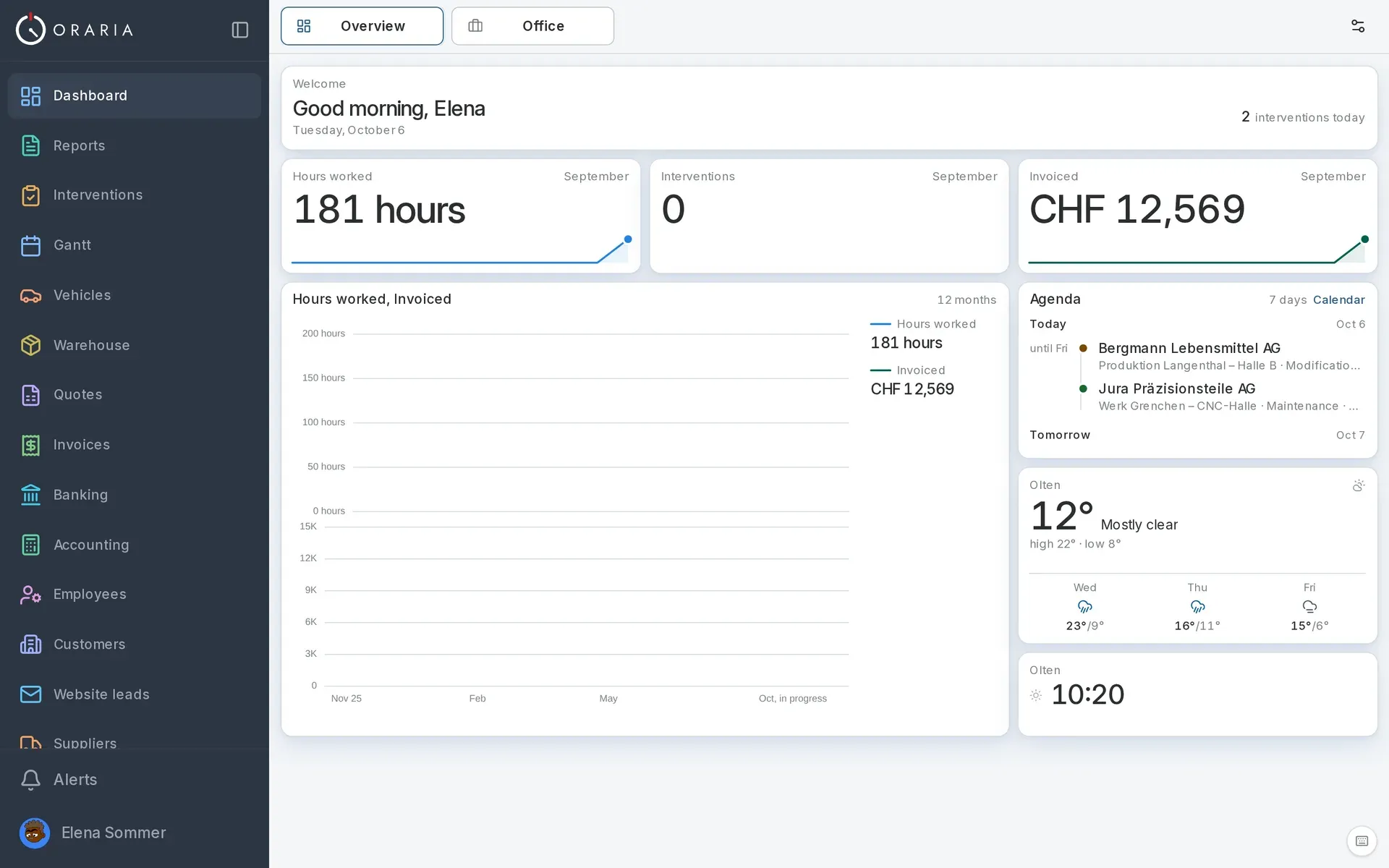
Ready to invoice, open invoices, technicians' hours: you add the tiles and move them around.
The cash position tile Coming soon
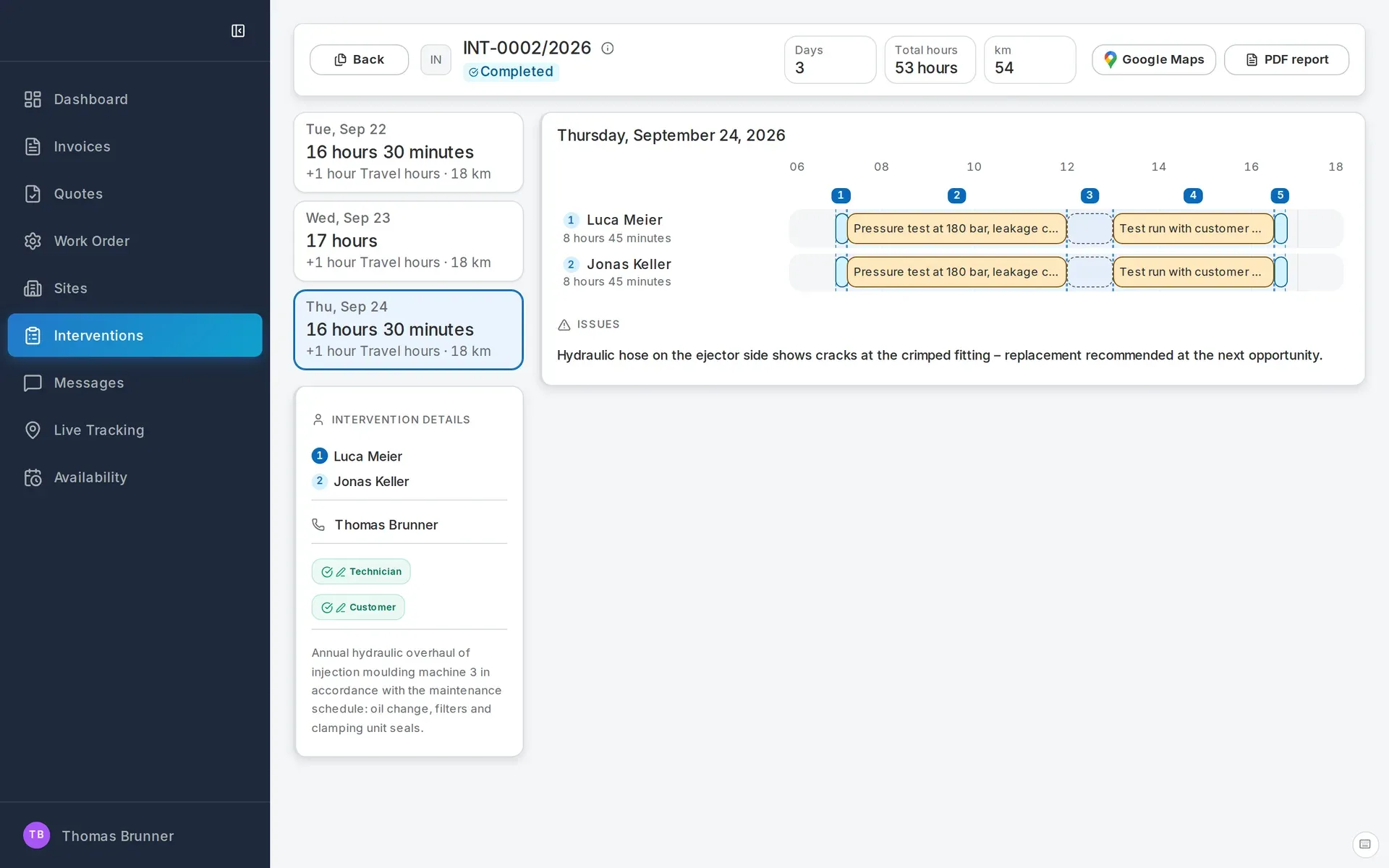
The client portal shows their jobs day by day, the schedule, quotes and invoices. They write to you in the portal chat, and the reply goes out from the panel.
Switched on when you need them, in the same panel.
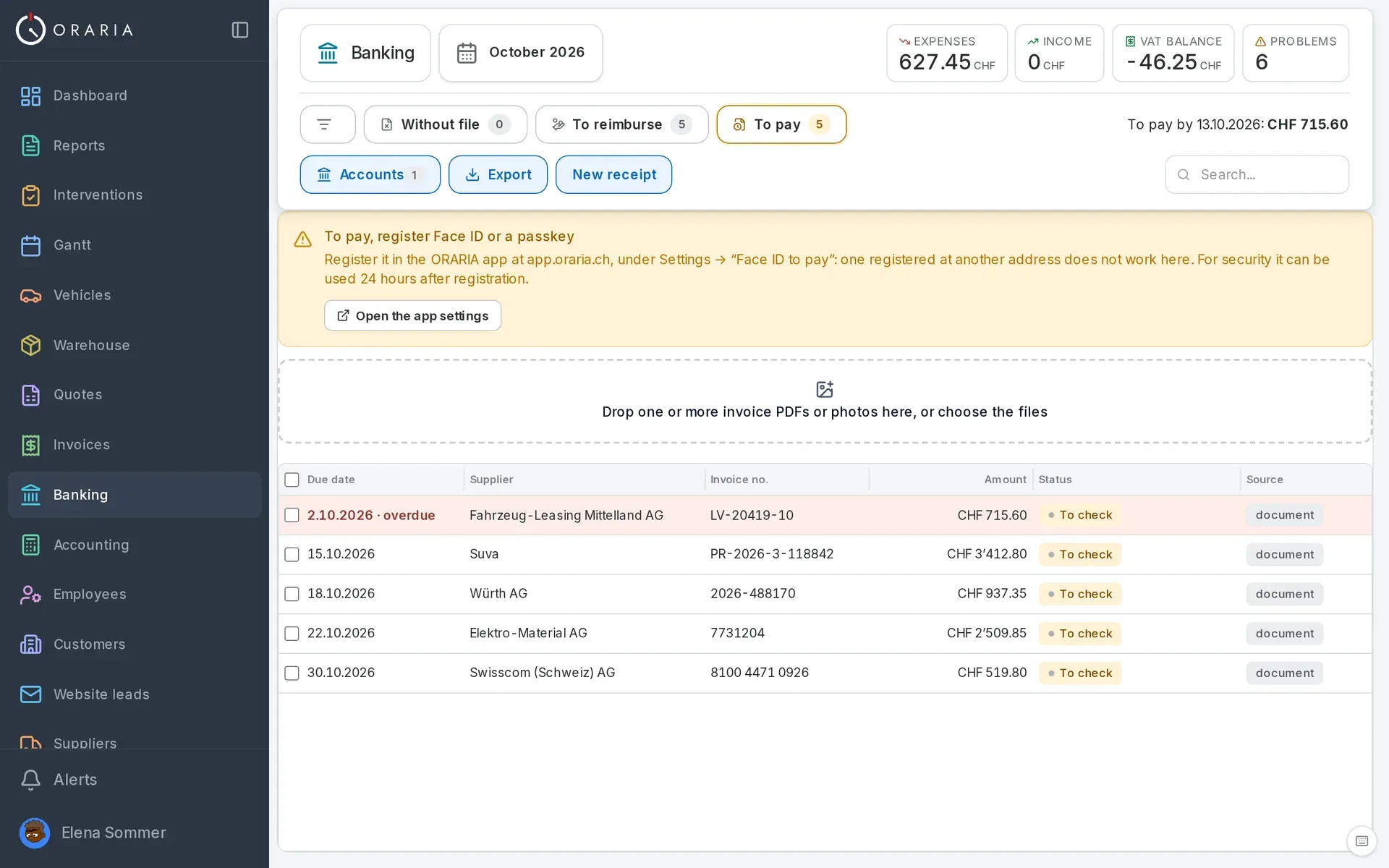
Upload the supplier invoice and the data is read automatically. Pay several invoices with a single confirmation, with Face ID, and the bank confirms from the account statement.
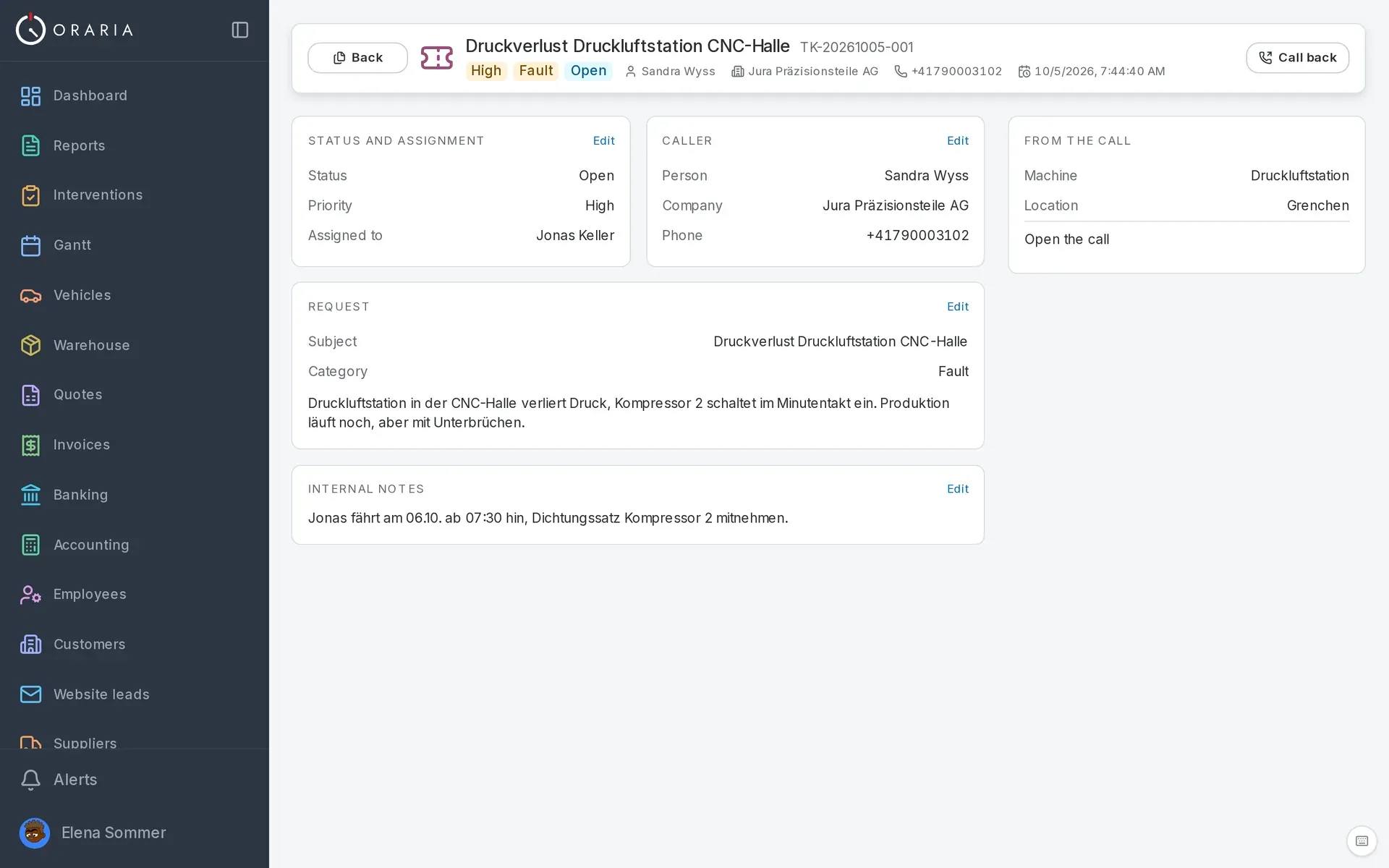
When no one can pick up, the phone assistant takes the message, recognises the client and their installations and opens the ticket. You assign it to whoever goes on site and call the client back in one click.
On iPhone and Android the app installs from the browser in ten seconds; the office works on the computer. Updates arrive on their own.
The technicians' app speaks 14 languages, from Albanian to Ukrainian; the office panel six. Every technician works in their own.
Built and operated in Switzerland, with your company's data stored in Europe (France).
Write to us or call us: we'll show you Oraria on your own business, no strings attached.
Language, currency, VAT and country rules are already settings, and report fields can be switched on and off. If something else is missing, we build it: tell us what.